Know before you open the door.
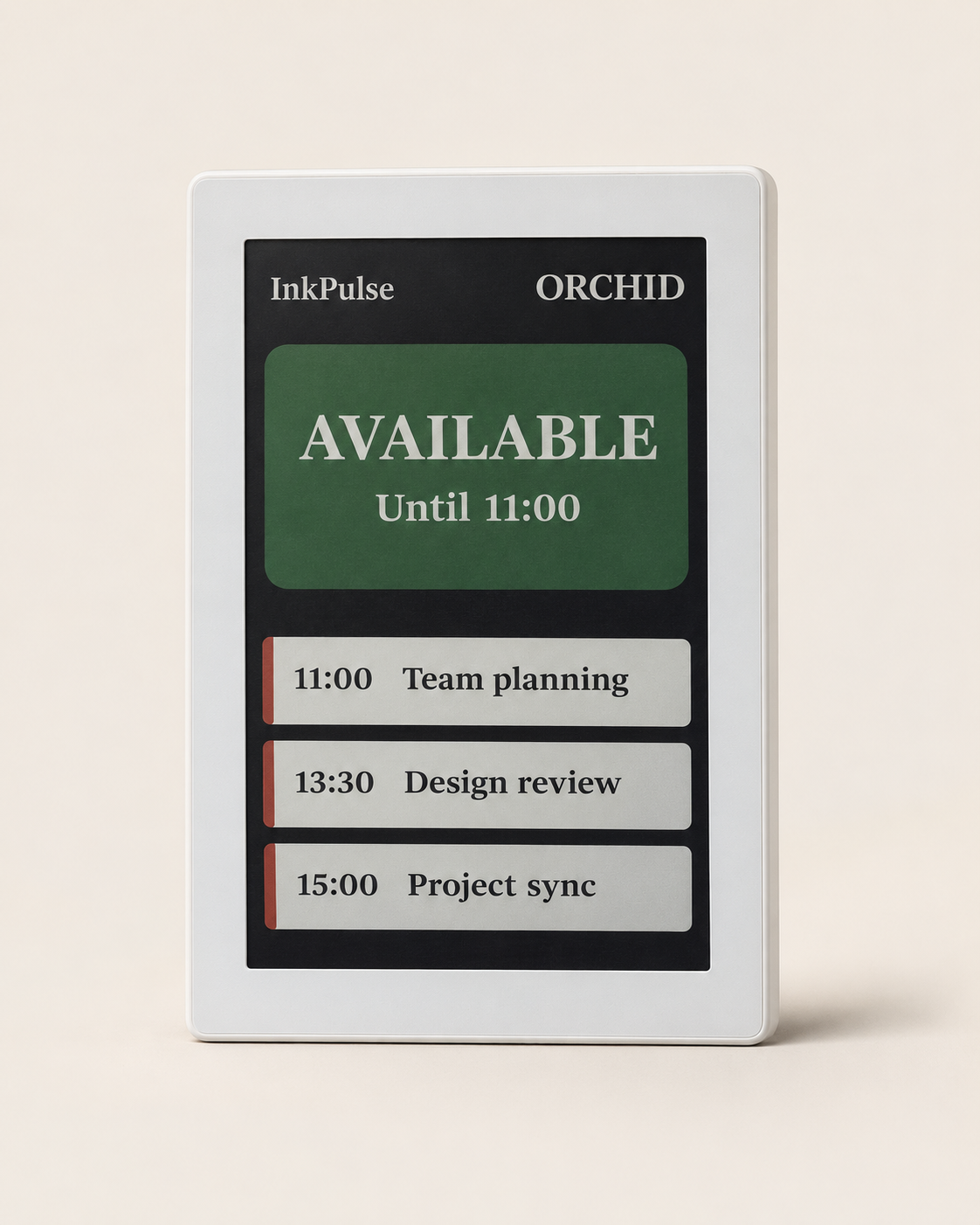
Show availability, upcoming bookings and meeting times from a connected calendar. Choose how much meeting detail your organization displays.

CONNECTED COLOR E-PAPER
Room schedules and workplace information, beautifully in view. Meet the battery-powered display that fits into your space and connects to your day.
LESS FRICTION. MORE CLARITY.
Make the next meeting, room status or workplace update easy to see—without adding another glowing screen to the room.
Show availability, upcoming bookings and meeting times from a connected calendar. Choose how much meeting detail your organization displays.
Bring notices, posters and selected information into shared spaces. Content and available modules depend on your deployment.
Battery power makes placement flexible. Discuss wall, glass, magnetic and bracket mounting options for your space.
THOUGHTFULLY LOW POWER
E-paper gives workplace information a quieter presence: a matte, color display with no backlight, powered by a rechargeable battery.
See the detailsA 7.3-inch E Ink Spectra 6 display presents room information on a glare-free matte surface.
Configurable update intervals and quiet hours help balance freshness and battery runtime. Updates are periodic, rather than instantaneous.
Wi-Fi connectivity and an 8,000 mAh rechargeable battery remove the need for a permanent power cable. Charging is still required.
CONNECTED TO YOUR WORKDAY
Keep bookings in your calendar. InkPulse reads the authorized schedule and brings it to the room, through a configurable Wi-Fi sync.
Authorize read-only calendar access and connect a calendar to a room display.
Connect supported Microsoft calendars, subject to your organization’s consent and access policies.
Discuss supported API sources, content modules and integration requirements with our team.
Integrations require configuration and appropriate permission. Google and Microsoft are third-party services; their names do not imply an endorsement or partnership.
INFORMATION AT A GLANCE
Room status and meeting detail can suit the way your workplace operates. Explore this illustrative preview.
Example content only. This preview does not control a real device or connect to a calendar.
THE DETAILS THAT MATTER
Reference specifications for the 7.3-inch meeting room display. Confirm the supplied hardware, mounting and network configuration in your quotation.
Discuss your deployment| Display | 7.3″ E Ink Spectra 6, color |
|---|---|
| Resolution | 800 × 480 pixels |
| Connectivity | 2.4 / 5 GHz Wi-Fi; enterprise WPA2-EAP support on the specified hardware configuration |
| Battery | 8,000 mAh rechargeable Li-Po |
| Refresh | Approximately 12 seconds per display refresh |
| Scheduling | Configurable update intervals and quiet hours |
| Dimensions | 230 × 180 × 15 mm, typical |
| Mounting | Wall, glass, magnetic or bracket options, subject to configuration |
Based on the supplied product specification. Dimensions, refresh time and options can vary by configuration. Battery runtime depends on Wi-Fi conditions, update frequency, temperature, content and quiet hours.
A FEW GOOD QUESTIONS
The product specification estimates around one year with intermittent Wi-Fi updates every 10–15 minutes. This is a planning estimate, not a guaranteed runtime. Network conditions, update frequency, content, temperature and quiet-hour settings affect actual results. The specification gives approximately 12 hours for a full charge.
No permanent power cable is required during normal use. The internal battery needs periodic charging. Your installation and mounting method should allow access for charging and service.
The meeting room display presents schedule information. Bookings are managed through your connected calendar or booking system and appear after the configured synchronization and display refresh.
Previously displayed or cached information may remain visible, but it may be out of date. Fresh calendar updates require connectivity. Always check the booking system when current information is important.
Supported privacy modes can limit meeting titles or organizer details on a display. Your organization chooses the configuration and is responsible for placing displays where the information is appropriate to share. See our privacy policy.
LET’S FIND YOUR FIT
Tell us about your rooms, calendars and network.
We’ll help you plan the right setup.